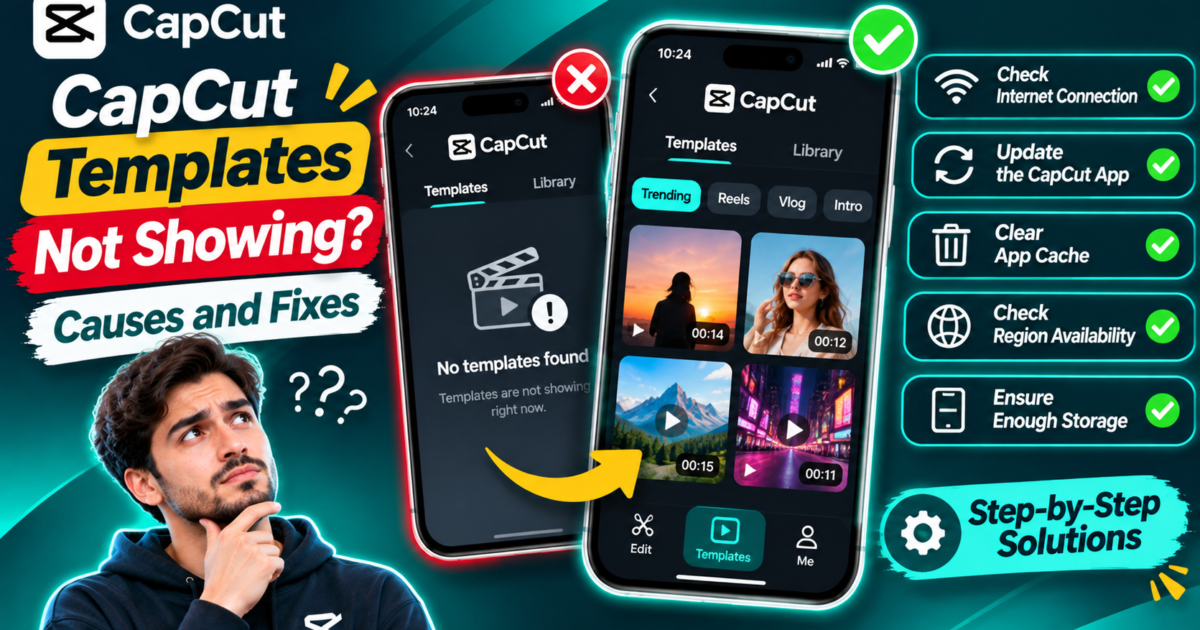
CapCut templates not showing on your phone or computer? First, check whether the Templates tab is missing completely, the tab opens but displays no results, or just one particular template will not open. Those three situations look similar, but they do not always have the same fix.
Start by checking the main CapCut home screen, updating the official app, and trying a stable internet connection. If the gallery remains unavailable, your account, region, or device version may not support the feature you want. CapCut confirms that the template collection is not identical on Android, iPhone, desktop, and the web.
This guide walks through eight practical checks without asking you to delete your projects, install unofficial apps, or change risky settings.
First, Identify Your Template Problem
Spend a few seconds deciding which of these descriptions matches your screen. That will help you avoid trying fixes for an unrelated issue.
| What you see | What to check first | Where to go |
|---|---|---|
| The Templates tab is completely missing | Home-screen location, version, regional availability | Fixes 1, 2, and 5 |
| The tab opens but shows a blank screen or loading icon | Internet connection, temporary loading issue | Fixes 3 and 6 |
| Search finds nothing, but other templates appear | Search words and catalog differences | Fix 7 |
| A friend’s template does not appear for you | Account, region, device, or removed content | Fixes 4, 5, and 8 |
| A TikTok template link opens the wrong page | Mobile-only link behavior and link availability | Fix 8 |
If you can open a template but do not know how to replace its photos or clips, that is a different task. Our CapCut templates and clip replacement tutorial covers the editing workflow step by step.
Fix 1: Look in the Correct Part of CapCut
On mobile, the main template gallery is generally accessed from the app’s home screen, not from the tools inside an ordinary editing project. It is easy to open a timeline, see options like Text or Effects, and assume the template feature has disappeared.
- Save any edits in your current project.
- Return to CapCut’s main home screen.
- Look along the home navigation for Template or Templates.
- Open it if available, then check whether the gallery loads.
CapCut documents a Templates section on mobile. Its position and label can change after updates, and the tab may not be available on every account or in every region. If it genuinely does not appear on the home screen, continue with the next checks rather than searching endlessly through video-editing tools.
On a computer: The desktop experience is different from the phone app. Some CapCut PC versions show only a smaller group of built-in templates instead of the full community library. Missing a familiar mobile template on a laptop does not necessarily mean the desktop app is malfunctioning.
Fix 2: Update the Official CapCut App
An older app can have an outdated template interface or trouble loading newer online content. Updating is worth checking, although it will not unlock a feature that is unavailable for your account or location.
Android
Open Google Play, find the official CapCut listing, and install an available update. Then reopen CapCut and look at its home screen.
iPhone
Open the App Store, find CapCut, and tap Update if an update is offered. Return to the app and check the Templates section.
Windows or Mac
Use the update option in CapCut or download the authorized desktop release from the official CapCut website. Remember that desktop may still have fewer templates after updating.
Protect your drafts: Do not uninstall CapCut just because a template is missing. Local drafts may depend on files stored on your device, and deleting the app can put them at risk.
Fix 3: Check Whether the Gallery Can Load Online
The template library relies on online content. A slow or interrupted connection can leave the page empty, stop previews from loading, or cause a search to return nothing.
- Open a normal website to confirm your connection is working.
- Return to CapCut and give the gallery time to load.
- If you have another authorized connection available, compare Wi-Fi with mobile data.
- Close and reopen CapCut, then try a common template category rather than a specific shared link.
A useful test is to compare the template page with another online CapCut feature. If multiple online features fail together, the problem may be connectivity or a temporary service issue. If everything else loads normally but one template does not, focus on that template’s availability instead.
CapCut’s network troubleshooting guide covers related connection problems. Avoid using unfamiliar third-party software claiming to restore missing templates.
Fix 4: Check Whether You Are Signed In
Some template content is tied to account access. CapCut notes that certain templates may require sign-in, and account eligibility can affect which content appears.
If you normally use CapCut with an account, check that you are signed in to the intended account. If you were unexpectedly signed out, sign back in through the normal app interface and try the gallery again.
This is not a guarantee that every template will appear. A creator may have removed a template, or a feature may not be available for your current account. Signing in simply rules out one common access problem.
If you use CapCut without an account, check the feature notice shown in the app before creating one. Do not misrepresent personal details or try to bypass account eligibility requirements.
Fix 5: Check Region, Device, and Version Availability
Here is a frustrating but important possibility: the missing template might not be available to you at all. CapCut states that templates and effects can vary by region, device capability, account, and staged feature rollouts.
For example, a creator may publish a popular template that their viewers can use in one region, while people elsewhere do not see it in search. Or a new effect used inside the template may not be supported on an older device.
Try these checks:
- See whether all templates are missing or only one style.
- Compare the app version and platform mentioned in the template creator’s instructions.
- Look for official availability notes or a message inside CapCut explaining the limitation.
- If only one template is missing, try a different one that is already visible in your library.
Changing device regions or trying to get around account restrictions is not a dependable fix. If a feature is not offered in your version or region, the safest option is to use an available template or build a similar edit with CapCut’s regular tools.
For a custom video without templates, start with our guide to trimming, splitting, and arranging clips in CapCut. You can create a useful edit even without a ready-made design.
Fix 6: Restart the Editor and Clear Only Safe Temporary Data
Sometimes the Templates tab is available but fails to show its content. Before making big changes, try the simplest reset:
- Save the current project.
- Close CapCut completely.
- Reopen it and check the Templates section again.
- If you use CapCut Web, reload the page after confirming that changes have saved.
CapCut’s help material also mentions clearing temporary cache in some situations. If you choose to do that, follow instructions for your exact app version and confirm which files will be removed. Do not select Clear Data, erase project folders, or delete local drafts. Cache controls and their effects vary by operating system and app release.
On the web, a different supported browser can be a useful comparison. Browser extensions sometimes interfere with template loading. If an extension appears to cause the problem, review its settings rather than disabling general browser protections unnecessarily.
Fix 7: Try Broader Template Search Words
Finding no results for a specific phrase is not the same as losing the whole library. The search may be too narrow or the particular template may be absent from your platform’s catalog.
Imagine you search for “cinematic sunset road trip memories 2026” and see an empty page. Try a simpler phrase such as travel, vlog, or birthday. If common terms show results, your template library is probably loading; the original query simply may not match an available item.
CapCut’s Help Center describes keyword search on mobile and web. Its published desktop guidance is not completely consistent: some pages mention desktop search, while another says desktop has only a small set of built-in templates without a search bar. In practice, use whatever your installed desktop version actually provides instead of expecting a mobile-style search feature.
One more detail matters: the CapCut web catalog may not include every trending mobile template. If the same search works on a phone but not in a browser, that can be a platform difference rather than a fault with your computer.
Fix 8: Check Whether a Shared Template Link Still Works
A template link from TikTok or another social platform is different from an ordinary CapCut search result. It should open a particular design, but only when the link and the feature remain available to your app.
CapCut says its template deep-link workflow is supported on the mobile app, not through the same flow on PC or web. If you click a shared link on your computer and see the CapCut homepage instead of that exact template, that behavior may be a platform limitation.
On Android or iPhone:
- Check that the original video or message still contains a working template link.
- Open it on your phone using the official CapCut app when prompted.
- If the wrong template appears, return to the source and try the link once more.
- Confirm that the app is updated and your connection is stable.
- If the creator removed the design or made it private, choose an available alternative.
When a template is gone, no amount of restarting can restore content removed by its creator or the platform. CapCut’s official shared-link troubleshooting page explains this limitation.
What to Do If Templates Are Missing on CapCut PC
Desktop users often expect exactly the same template library they saw on a phone. That expectation can create confusion.
Start by checking whether your version has a Templates section on its home screen. If it does, try one of the available built-in designs. If you want a specific community or TikTok template and cannot find it on desktop, CapCut’s official guidance indicates that the mobile app generally offers fuller access.
For desktop templates that are present but fail to open, check the app version, connection, and whether the design requires media or effects the desktop version can use. Avoid treating a missing mobile-only design as a broken Windows or macOS installation.
What to Do If CapCut Web Shows No Templates
In a browser, open the official CapCut website and look for its Templates area. If you can see the section but not the contents, try reloading the page, using a current supported browser, and searching for a broad keyword. Sign in if the editor asks you to do so for the feature you want.
Unlike the installed mobile app, CapCut Web can have a smaller or different selection. A template’s absence from the web gallery does not prove that it has been deleted everywhere.
When to Contact CapCut Support
If the Templates section previously worked on the same device but has now disappeared, and you have already checked the app version, connection, and account, contact CapCut Help & Support.
Include the operating system, CapCut version, your region if relevant, and a simple description of what happens. For example: “The Templates tab was available yesterday, but today it is missing from the home screen. I updated the app and tested another network.”
A clear report like that is more useful than saying only “templates don’t work.” Share an error screenshot if necessary, but remove private information before sending it.
Frequently Asked Questions
Why is the CapCut Template tab missing on my iPhone or Android?
It may be located elsewhere in a newer interface, or the feature might not be available for your app version, account, device, or region. Check the main home screen, update the official app, and verify that the connection works.
Why can’t I find the same CapCut templates my friend has?
CapCut can show different template catalogs depending on regional availability, app version, device, and account eligibility. A creator can also remove an individual design.
Does CapCut PC have all the mobile templates?
No. CapCut describes a more limited template experience on desktop compared with the mobile community catalog. Search and editing options also vary by desktop version.
Why is CapCut template search showing no results?
Try a broader keyword first. Then check internet access, your account, and whether the desired content is available on the platform you are using.
Should I reinstall CapCut to fix missing templates?
Reinstallation is not a good first step, especially when you have locally stored projects. Try safer checks first and follow official support instructions before taking any action that may remove drafts.
Final Checklist: What to Try First
- Check the home screen rather than the regular editing timeline.
- Update CapCut through an official source.
- Confirm your internet connection.
- Check that you are using the intended account.
- Consider region, device, and catalog limitations.
- Restart the app without deleting local projects.
- Use a broader template search phrase.
- Open shared template links on a supported mobile device.
The takeaway: A missing CapCut template is not always an error you can repair. First identify whether the tab, the search results, or one specific link is missing. Fix the issues you can control—navigation, updates, connectivity, and account access—then work with the templates that are actually available on your device.
Official References and Editorial Note
- CapCut Help: Why Are Templates Not Appearing?
- CapCut Help: Template Search Doesn’t Show Any Content
- CapCut Help: Why Some Templates Are Unavailable
- CapCut Help: When a Template Link Fails
Editorial note — November 6, 2026: This article is an independent guide researched from published CapCut documentation. It does not claim firsthand testing on every device. Exact menu labels, features, and access rules may change over time.
Leave a Reply